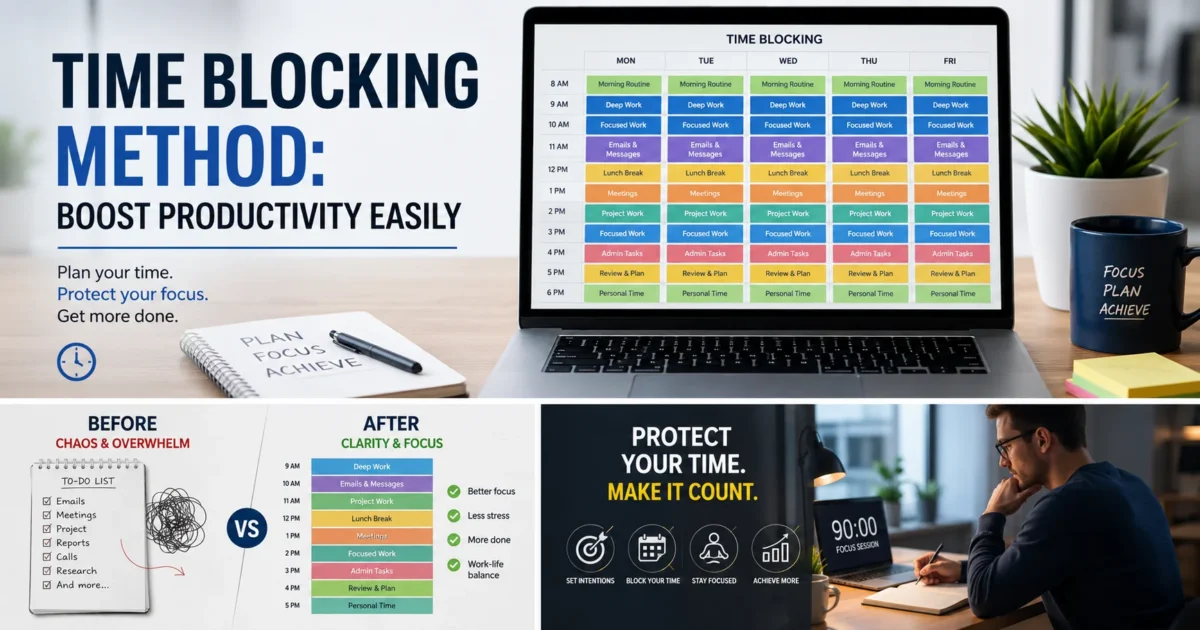
Discover how the time blocking method can transform your daily routine and boost productivity without burning out. Learn what it really is, how successful people use it, and why science backs it up. Includes practical steps, a real-world schedule template, stats, and answers to the most common questions people ask about time blocking. Whether you’re a student, freelancer, or full-time professional, this guide breaks it down in plain language so you can start today — no complicated systems required.
Time Blocking Method: Boost Productivity
Let’s be honest for a second. Most of us open a laptop in the morning with good intentions and close it at night wondering where the day went. We answered emails, sat in meetings, scrolled a bit, maybe finished one real thing. And somehow a twelve-hour day produced less than three hours of actual output.
That’s not a motivation problem. It’s a structure problem. And time blocking is one of the most practical fixes there is — not because it’s clever, but because it forces you to decide what actually matters before the chaos of the day decides for you.
What Time Blocking Actually Is (And Isn’t)
Time blocking means dividing your workday into dedicated chunks of time, each assigned to a specific task or category of work. You look at your calendar not as a place to store appointments other people gave you, but as a deliberate plan you built yourself.
It is not the same as a to-do list. A to-do list tells you what to do. Time blocking tells you when you’ll do it and how long it should take. That difference sounds minor until you realize that most to-do lists are actually wish lists — things you hope to get to, not commitments you’ve made.
A Quick History: Who Started This?
Cal Newport, the computer science professor and author of Deep Work, popularized the term — but the concept is old. Benjamin Franklin famously drew out his ideal daily schedule. Elon Musk reportedly divides his day into five-minute blocks. Bill Gates is known for intensive “Think Weeks” that are nothing but blocked time for reading and reflection. The tool has been around for a long time. What’s changed is that our workdays have gotten noisy enough that we actually need it.
The Numbers Don’t Lie: What Research Says

| Study / Source | Finding | Year |
|---|---|---|
| UC Irvine (Gloria Mark) | Workers take ~23 min to fully regain focus after an interruption | 2023 |
| American Psychological Association | Multitasking reduces productivity by up to 40% | 2022 |
| Microsoft Research | About 80% of work time is spent on low-priority tasks | 2022 |
| Clockify Productivity Report | People who time-block report 2.5× higher task completion | 2023 |
| Harvard Business Review | Scheduling “defensive time” blocks reduces meeting sprawl by 35% | 2023 |
“What gets scheduled gets done. What doesn’t get scheduled gets delayed until the deadline is on fire.” — Cal Newport, Deep Work
Time Blocking Method: Boost Productivity : How to Actually Start Time Blocking
There’s no app you need to buy. A paper calendar or Google Calendar works perfectly. Here’s how real people start, not the idealized version, but the practical one.
Step 1: List Your Weekly Priorities First
Before you touch your calendar, spend ten minutes on a Sunday (or Monday morning) writing down the three to five things that would make this week feel successful. Not tasks — outcomes. “Finish first draft of the report” is an outcome. “Work on report” is vague activity. That distinction matters when you’re assigning blocks.
Step 2: Identify Your Energy Patterns
Everyone has a peak focus window and a low-energy window. For most people, deep thinking work belongs in the morning hours before 11am — cortisol levels are higher, distractions haven’t built up, and decision fatigue hasn’t set in yet. Admin work, emails, and meetings are better suited to afternoons. If you’re a night owl, flip the logic — but don’t ignore your own biology.
Step 3: Block Before You React
The first blocks you schedule should be for your own priorities, not other people’s requests. Block your focused work first. Then fill remaining time with meetings, emails, and reactive tasks. Most people do this backwards — they fill their calendar with everyone else’s needs and then wonder why their own work never gets done.
Step 4: Use a Simple Template
| Time Slot | Block Type | Example Activity |
|---|---|---|
| 7:00 – 7:30 AM | Morning Routine | Review day, light reading, coffee |
| 8:00 – 10:00 AM | Deep Work Block | Writing, coding, strategy, analysis |
| 10:00 – 10:15 AM | Break | Walk, water, away from screen |
| 10:15 – 11:30 AM | Deep Work Block 2 | Continue project or tackle next priority |
| 11:30 AM – 12:30 PM | Communication Block | Emails, Slack, quick calls |
| 12:30 – 1:30 PM | Lunch / Recharge | No screens if possible |
| 1:30 – 3:00 PM | Meetings / Collaboration | Team syncs, client calls |
| 3:00 – 4:30 PM | Admin / Creative Work | Planning, lighter tasks, content |
| 4:30 – 5:00 PM | Wrap-Up Block | Daily review, prep tomorrow’s blocks |
Why It Feels Hard at First (And Why That’s Normal)
Here’s something most productivity blogs skip: time blocking is uncomfortable when you start. You’ll underestimate how long things take. You may get interrupted and feel like you’ve “failed” the system. You’ll have days where your plan falls apart by 9:15 AM.
That discomfort is not a sign the system is broken. It’s a sign you’re finally confronting the gap between how you thought your time was being used and how it’s actually being used. That’s valuable information, not failure.
Most people who stick with time blocking for two to three weeks report that the estimation problem corrects itself. You start to understand how long writing a 500-word draft actually takes, how long “a quick catch-up call” really runs, how much buffer you need between tasks. That calibration is genuinely useful and you can only get it by doing it.
The Buffer Block People Forget
One of the most practical additions to any time-blocked schedule is a buffer block — a 30 to 45-minute slot, usually mid-morning and late afternoon, that isn’t assigned to anything. This isn’t wasted time. It’s strategic space for things that run over, unexpected requests, or the thing you forgot to schedule. Without buffer blocks, every overrun cascades into the next block, and by noon the whole day feels derailed.
Time Blocking Variations Worth Knowing
Once you have the basics down, there are a few variations that suit different work styles:
Task Batching
Instead of switching between different types of work throughout the day, you group similar tasks into a single block. All your emails in one block. and calls in another. All your creative output in another. Context switching has a real cognitive cost, and batching reduces it significantly.
Day Theming
Popularized by Elon Musk and Jack Dorsey, day theming assigns a broad theme to each day of the week. Mondays for strategy and planning. Tuesdays for product or deep creative work. Wednesdays for meetings. This works especially well for founders, managers, or anyone whose work spans multiple roles. It’s macro-level time blocking applied across the week rather than the day.
Time Boxing
A close cousin of time blocking. The difference is subtle but real — in time boxing, you set a hard stop on a task regardless of whether it’s finished. The constraint forces decisions and prevents perfectionism from eating your schedule alive. If you’ve ever spent four hours on a task that should have taken one, time boxing is worth trying.
Mistakes That Undermine the Whole System
A few patterns that consistently derail people who try time blocking and give up too early:
| Mistake | Why It Happens | The Fix |
|---|---|---|
| Over-scheduling every minute | Enthusiasm + underestimating task length | Leave 20–25% of blocks as buffers |
| Scheduling others’ needs first | Reactive habits, fear of saying no | Block your work first, then open slots for others |
| Not reviewing the plan mid-day | Set-it-and-forget-it thinking | Add a 5-min mid-day check-in block |
| Using time blocking for everything | Trying to control the uncontrollable | Leave unscheduled “flex” time daily |
| Quitting after one bad day | All-or-nothing mindset | Treat each week as a fresh experiment |
Time Blocking Method: Boost Productivity : People Also Ask (FAQ’s)
Q: How many hours should a time block be?
There’s no perfect number, but most research on focused work — including studies by Florida State psychologist Anders Ericsson — suggests 90 minutes is near the upper limit for truly concentrated effort before cognitive performance drops. Start with 60-minute blocks if you’re new to it, and only extend to 90 minutes once you’ve built the focus muscle. Always pair longer blocks with a proper break.
Q: Is time blocking good for ADHD?
It can be, with modifications. For people with ADHD, shorter blocks (25–45 minutes, aligned with the Pomodoro technique), visual timers, and more frequent breaks often work better than long stretches. The key benefit for ADHD is that time blocking reduces decision fatigue — you don’t have to choose what to work on in the moment, which is often where ADHD struggles most. Several occupational therapists and ADHD coaches now recommend it as part of a broader structure plan.
Q: What’s the best app for time blocking?
Google Calendar works for most people and has zero learning curve. Notion Calendar (formerly Cron), Sunsama, and Motion are popular among people who want more intentional scheduling. Todoist integrates tasks into a calendar view. The honest answer: the tool matters far less than the habit. Start with whatever calendar you already use.
Q: Does time blocking work for creative people?
Yes — though creative professionals often resist it because creativity feels incompatible with structure. In practice, the opposite tends to be true. Giving yourself a dedicated, uninterrupted block for creative work removes the mental overhead of wondering when you’ll get to it. Many writers, designers, and musicians report that scheduled creative time is more productive than waiting for inspiration, precisely because it removes ambiguity about when creative work happens.
Q: How long does it take to get used to time blocking?
Most people find a comfortable rhythm within two to four weeks. The first week usually feels awkward and overly rigid. The second week is where estimation starts to improve. By week three or four, the structure starts to feel supportive rather than constraining. Give it at least a full month before deciding whether it works for you.
Time Blocking Method: Boost Productivity Easily: The Real Reason It Works
Time blocking isn’t a life hack. It’s a decision-making framework. When you block your time, you’re not just organizing your schedule — you’re making a deliberate choice about what you value enough to protect. And that choice, made ahead of time, turns out to be far more reliable than willpower made in the moment.
The goal isn’t a perfect day. It’s a day where your most important work actually happened — where the things that matter to you didn’t get squeezed out by the things that were simply louder.
Start small. Block one deep work session tomorrow morning. Don’t check email until that block is done. See how it feels. That’s all the proof you need.